Your iPad says it’s charging only if you hold the cable at a weird angle. Or it charges one minute, stops the next, and leaves you guessing whether the battery, cable, or port is the real problem. In a lot of cases, ipad charging port repair is the fix – but not always. The tricky part is knowing when the port is actually damaged and when the issue is something simpler.
If your iPad is part of your workday, school routine, or family life, charging problems get frustrating fast. A device that won’t reliably power up is hard to trust. Before you assume the worst, it helps to understand what can go wrong, what repair usually involves, and when it makes sense to get the device checked by a repair shop.
Signs you may need iPad charging port repair
The most obvious sign is an iPad that does not charge when plugged in. But charging port issues are not always that clean. Sometimes the battery icon shows charging, but the percentage barely moves. Sometimes the connection drops if the cable shifts even slightly. In other cases, the iPad only charges with one specific cable or one specific wall adapter.
A loose-feeling connection is another warning sign. If the charger no longer fits snugly, the port may be worn, bent, or obstructed by pocket lint and debris. Some customers assume the cable is cheap or the battery is old, when the real issue is that the charging port is no longer making a solid connection.
You may also notice visible damage. Corrosion, bent pins, cracked housing around the port, or residue from moisture exposure can all interfere with charging. If the iPad has been dropped while plugged in, that impact can damage the charging assembly even if the outside of the device looks mostly fine.
What causes charging port problems?
Daily wear is a big one. Charging ports deal with constant plugging and unplugging, and over time that physical stress adds up. This is especially common on older iPads that have seen years of regular use.
Dust and compacted debris are another common cause. A port can collect lint, dirt, crumbs, and other buildup that blocks the charger from seating properly. This is one reason the symptoms can seem inconsistent. The cable may connect enough to work sometimes, then fail as soon as it shifts.
Liquid exposure can also create charging issues, even when the device still powers on. Corrosion inside the port may interrupt charging or cause unstable power delivery. In those cases, cleaning alone may not be enough.
Then there is impact damage. If an iPad falls with the charger inserted, the force can bend internal components or break soldered connections. That kind of damage usually does not improve on its own.
It is not always the port
This is where a lot of people waste time and money. A charging problem can come from the cable, wall adapter, battery, software, or internal power management components. That is why a proper diagnosis matters before any repair starts.
For example, a bad cable can mimic a bad port. So can a weak charger brick. An aging battery may also make it look like charging has failed when the real problem is poor battery health. In some cases, the iPad may need a forced restart or software update rather than hardware work.
That does not mean you should ignore the symptoms. It just means the best repair shops test the full charging path instead of jumping straight to a parts replacement.
What to try before bringing it in
Start with the basics. Try a different charging cable and wall adapter that you know work with another device. Check the port under good lighting. If you see obvious dust packed inside, do not jam metal tools into it. That can make the damage worse.
You can also restart the iPad and see whether charging improves after the reboot. If the device recently got wet, stop charging it until it has been inspected. Continuing to push power through a wet or corroded port can lead to bigger issues.
If you have already swapped accessories and the charging problem keeps coming back, it is time to get it looked at. Intermittent charging usually gets worse, not better.
How ipad charging port repair usually works
The repair itself depends on the iPad model and the type of damage. On some models, the charging port is part of a larger assembly. On others, the repair may involve more delicate board-level work. That is one reason pricing and turnaround time can vary.
A repair shop will usually begin with testing. They may inspect the port, verify charging behavior with known-good accessories, and check whether the issue is isolated to the port or tied to another internal component. If the port is clogged or lightly corroded, a careful cleaning may solve the problem without a full replacement.
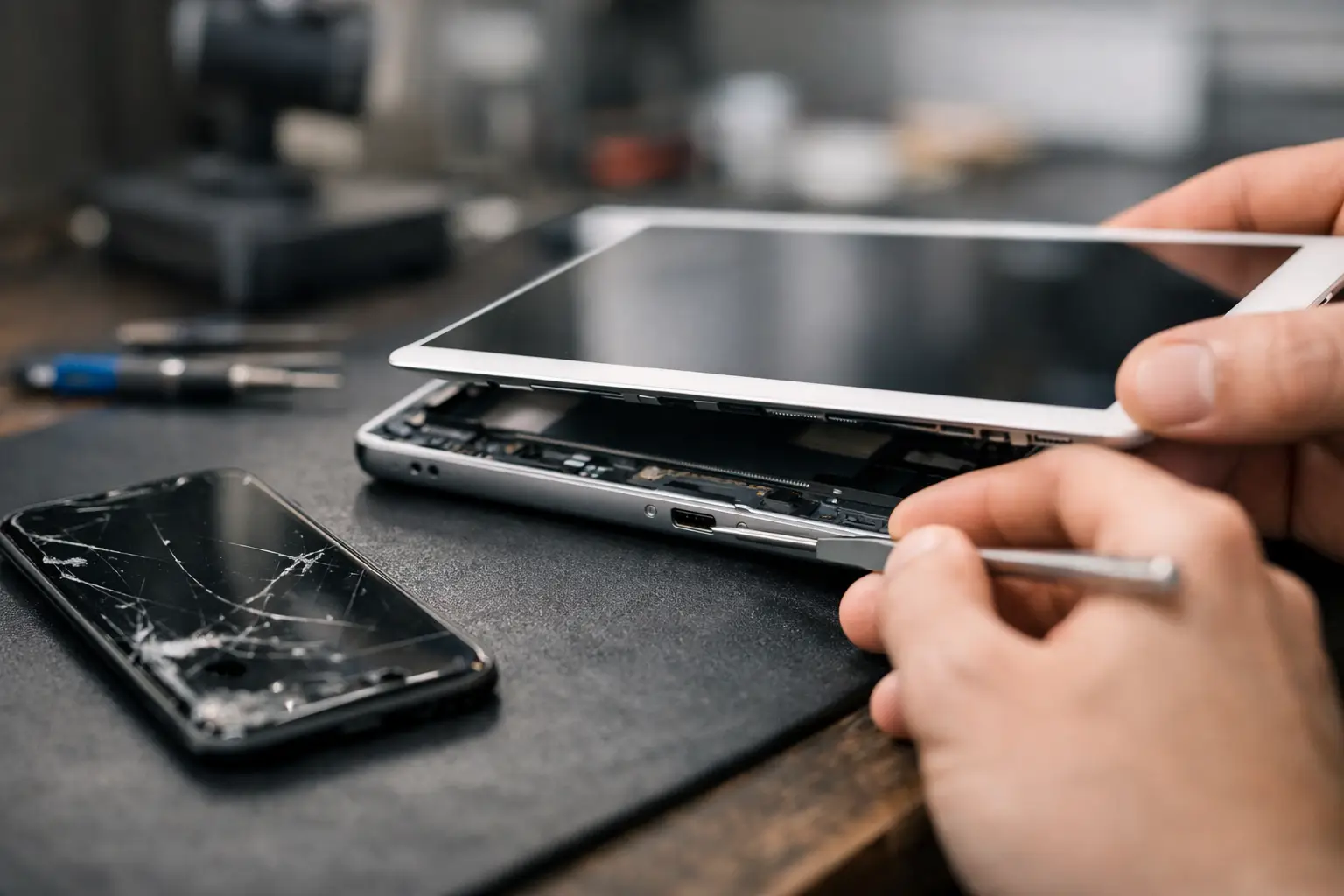
If the port is physically damaged, replacement is often the next step. That process can involve opening the device, removing the screen or other components, and installing a new charging assembly. On some iPads, this is more labor-intensive than customers expect because the internal layout is tight and the device is built to be compact, not easy to service.
After the repair, the device should be tested again for consistent charging, proper cable fit, and stable power transfer. A good repair is not just about getting the battery icon to appear once. It should charge normally without needing pressure, cable bending, or repeated reconnecting.
Repair or replace?
That depends on the age of the iPad, its overall condition, and the total repair cost. If the device is otherwise working well and the only major issue is charging, repair often makes sense. This is especially true if the iPad still handles school apps, streaming, work tasks, or everyday browsing without trouble.
If the iPad has multiple problems at once – such as a failing battery, cracked screen, and charging issues – you may need to weigh the cost against the value of the device. A newer iPad with a charging port problem is usually worth checking. A much older one may or may not be, depending on how you use it.
The good news is that a local repair diagnosis can help you make that call quickly. You do not have to guess.
Why professional repair matters
Charging port issues look simple from the outside, but iPads are not easy devices to open and work on. Screen removal can be risky, adhesives are strong, and internal components are delicate. A rushed repair attempt can turn one problem into several.
DIY cleaning videos also leave out an important detail – if the issue is bent pins, broken solder joints, or liquid damage, surface cleaning will not fix it. In some cases, aggressive cleaning can damage the port further.
Professional repair matters because the problem needs to be identified correctly first. If the port is the issue, the repair should be done with the right tools and tested afterward. If the battery or board is the issue, you want to know that before replacing the wrong part.
When to stop troubleshooting and bring it in
If the iPad only charges at certain angles, stops charging when touched, or has gone completely unresponsive after a drop or liquid exposure, stop experimenting. Those are signs the issue may be beyond a bad cable.
The same goes for repeat problems. If you have cleaned the port, tried different accessories, restarted the device, and still cannot get reliable charging, more home testing probably will not solve it. At that point, a quote and an in-person inspection save time.
For customers in Richmond who need a straight answer fast, a local shop like Excell Wireless VA can check the issue, tell you whether ipad charging port repair is the right move, and help you decide what makes sense for your device.
A charging problem does not always mean your iPad is done. Sometimes the fix is simple. Sometimes it takes a real repair. Either way, the sooner you get a solid diagnosis, the sooner you can stop fighting with the cable and get back to using your device.