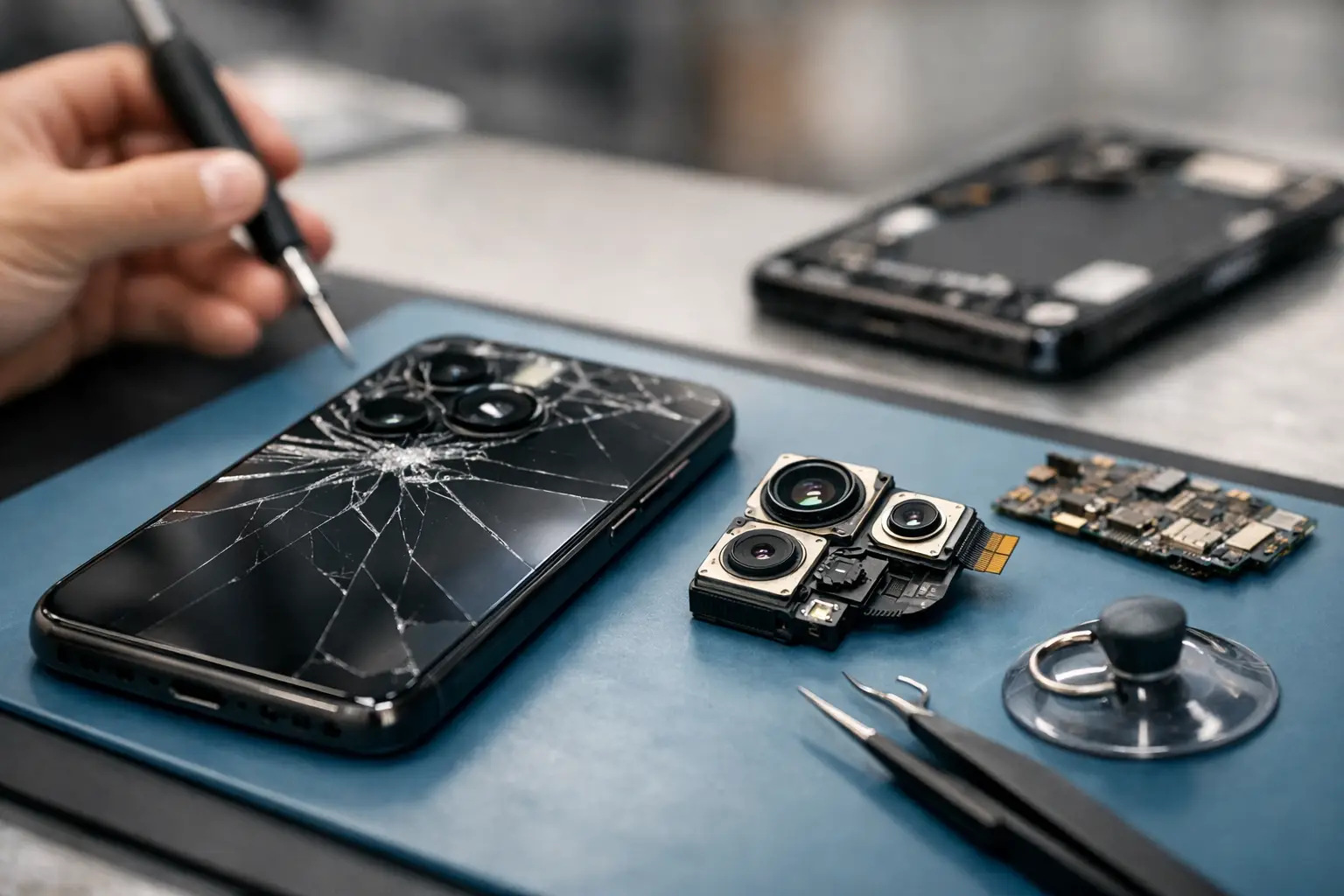
You usually notice a camera problem at the worst possible time – when you need to scan a document, catch a moment with your kids, or send a clear photo for work. Cell phone camera repair becomes urgent fast because a bad camera is not just annoying. For a lot of people, it interrupts daily life.
Some camera issues are simple. Others point to internal damage that will not get better on its own. The key is knowing the difference before you waste time resetting settings, buying accessories you do not need, or continuing to use a phone that may have a bigger hardware problem.
What cell phone camera repair usually fixes
When people think about camera trouble, they often assume the lens itself is broken. Sometimes that is true, but not always. A phone camera system includes the outer lens cover, the camera module, autofocus components, image stabilization hardware, internal connectors, and software that tells everything how to work together.
That is why camera problems can show up in different ways. Maybe the camera app opens to a black screen. Maybe the image is blurry even after cleaning the lens. Maybe the phone shakes when trying to focus, or the rear camera works while the front camera does not. In some cases, the app crashes every time you switch modes. In others, the glass over the camera is cracked, which lets dust in and ruins image quality.
A proper repair starts by narrowing down whether the issue is with the glass, the module, a loose connection, or software behavior. That matters because the right fix for one problem will do nothing for another.
Common signs your phone camera needs repair
Blurry photos are one of the biggest red flags, especially when the blur is constant and not tied to lighting. If you wipe the lens and the camera still cannot focus, the issue may be inside the module. Optical image stabilization can also fail, which may cause shaking, buzzing, or a jittery preview on screen.
A cracked lens cover is another common problem. Even a small crack can scatter light, create haze, or leave bright streaks across photos. People often keep using the phone this way, but damaged glass can let in debris and moisture, which can turn a smaller repair into a bigger one.
A black screen in the camera app can mean hardware failure, but it can also come from software conflicts after an update or from physical impact that loosened an internal connection. If the camera app freezes, closes unexpectedly, or only one camera mode works, that points to a fault worth checking sooner rather than later.
Then there are phones that took a drop and still seem mostly fine – except the camera now clicks, rattles, or struggles to focus. That often means the phone needs hands-on inspection, not guesswork.
When the problem is not the camera itself
Not every camera complaint means a full camera replacement. Storage issues can stop the camera from saving photos. App permission settings can block access. A buggy software update can temporarily affect the camera app. Third-party camera apps can also create problems that look like hardware failure.
Battery issues can play a role too. On some phones, unstable power delivery can cause random app crashes or camera glitches. Water exposure is another wildcard. A phone may still turn on after moisture gets inside, but camera fog, sensor failure, and corrosion can show up later.
This is where a real diagnostic check helps. If the issue is software-based, replacing parts will not solve it. If it is hardware-based, no amount of restarting will fix it.
Cell phone camera repair vs replacement
Sometimes a camera can be repaired by replacing the outer lens cover or reconnecting a component. Other times, the camera module itself has to be replaced. The right path depends on what failed, what phone you have, and whether the damage spread beyond the camera assembly.
If the outer glass is cracked but the image remains sharp, a lens cover repair may be enough. If the phone cannot focus, makes odd noises, or shows a black image even after troubleshooting, replacing the camera module is often the better fix.
Cost matters here. On newer phones with advanced multi-camera systems, parts can be more expensive than people expect. On older devices, a repair may still make sense if the phone is otherwise reliable. It depends on the age of the phone, overall condition, and whether you are trying to get another year out of it or avoid buying a new device right now.
There is also a practical point many people overlook. If your phone has more than one issue – for example, a cracked screen, weak battery, and bad camera – it is worth looking at the total repair value, not just the camera alone.
Why DIY camera fixes often go sideways
It is easy to find online videos that make phone repair look quick. Camera repairs usually are not. Modern phones are tightly packed, adhesive-heavy, and built with fragile cables and components. Opening the phone without the right tools can damage the screen, break waterproof seals, or disconnect other parts.
Even a simple-looking lens cover replacement can get messy if glass fragments fall into the camera area. Replacing the camera module itself takes careful disassembly and reassembly. On some models, poor-quality aftermarket parts can affect focus speed, image sharpness, or camera app performance.
The biggest problem with DIY repair is misdiagnosis. People order a new camera part when the real issue is the lens cover, the connector, or water damage elsewhere on the board. That costs time and money, and the phone still is not fixed.
What to expect from a camera diagnostic
A good repair process should start with the symptoms you are seeing, when they started, and whether the phone was dropped, exposed to water, or recently updated. That context matters. A blurry camera after a drop tells a different story than a blurry camera after a software update.
From there, the phone can be tested to see whether the front and rear cameras respond, whether autofocus works, whether the image sensor loads, and whether the issue follows a specific app or affects the whole device. Physical inspection of the lens area and internal components helps confirm whether the fix is external, internal, or not camera-related at all.
For customers, this matters because it keeps the repair straightforward. You want to know what is wrong, what needs to be done, and whether the repair is worth it before moving forward.
When fast local help makes more sense
If your camera is affecting work, school, deliveries, banking, or everyday communication, mailing a phone away for service may not be realistic. A local shop can be the better option when you need a quicker answer, a direct explanation, and a real person who can look at the phone.
That is especially true if the camera issue showed up after a drop or if you are not sure whether the damage is limited to the camera. In those cases, quick diagnostics can prevent more trial and error. For Richmond customers who want a practical next step instead of a long wait, a local repair shop like Excell Wireless VA can make the process simpler.
How to protect your phone camera after repair
Once the camera is working again, a little prevention goes a long way. A case with raised edges helps reduce direct impact near the lens. Keeping the phone out of damp environments matters more than people think, especially after past repairs. Clean the lens gently and avoid tossing the phone into bags or pockets with keys and grit.
It also helps to pay attention to early warning signs. If the camera starts hunting for focus, showing random blur, or making odd noises again, get it checked before the problem worsens. Small issues usually stay cheaper and easier to handle when caught early.
A bad phone camera does not always mean you need a new phone. Sometimes the fix is simple. Sometimes the smarter move is replacement. Either way, the best next step is getting a clear diagnosis so you can stop guessing and get back to using your phone the way you need to.