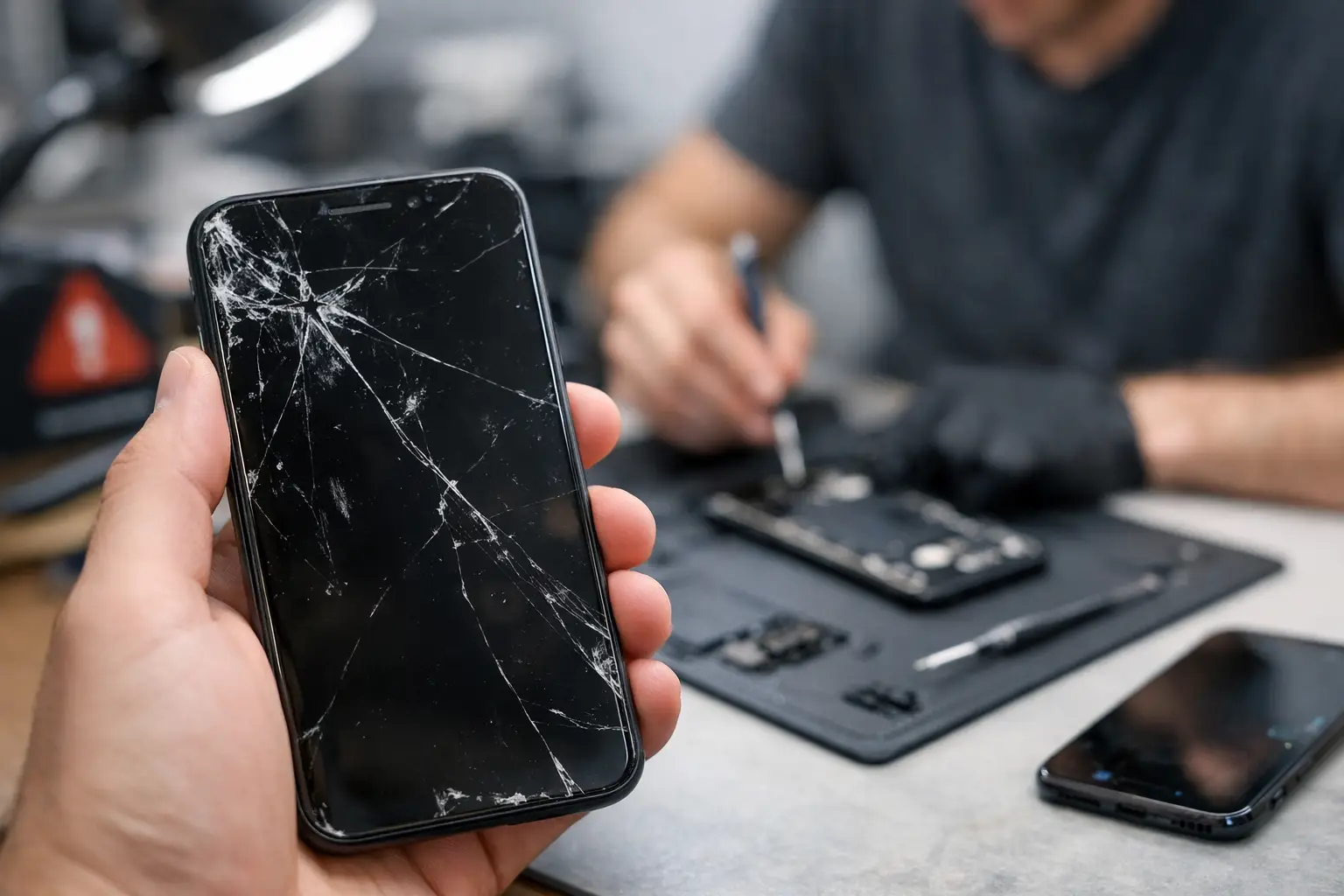
A phone problem rarely starts with a dramatic failure. It starts when you have to hold the charging cable at a certain angle, restart the device before an important call, or ignore a crack that keeps spreading across the screen. Those are the top signs your phone needs repair – and waiting can turn a manageable fix into a bigger interruption to your work, school, banking, and daily routine.
A cracked screen is more than a cosmetic problem
A small crack may seem harmless if the screen still lights up and responds to touch. But cracked glass weakens the whole display. Each drop, bump, or trip into a pocket or bag can cause the damage to spread. Sharp edges can also cut your finger, while gaps in the glass give moisture and dust a path toward the phone’s internal components.
If you see black spots, colored lines, flickering, dead areas that no longer respond to touch, or glass lifting from the frame, the issue has likely moved beyond the outer screen. A screen repair is worth considering before the display goes completely dark or the phone becomes difficult to use.
Your battery drains much faster than it used to
Every battery loses capacity over time, but a noticeable change deserves attention. If your phone used to last all day and now needs charging by lunchtime, the battery may be worn down. The same is true when the battery percentage falls suddenly, such as dropping from 35% to 10% in a few minutes.
Heat is another warning sign. Phones can get warm while charging, gaming, streaming, or using navigation. They should not become uncomfortably hot during normal use. Repeated overheating can point to a failing battery, a charging issue, an app problem, or internal damage. Stop using the phone and get it checked if it gets hot enough to be painful to hold, smells unusual, or shows any sign of swelling.
A swollen battery needs prompt attention. You may notice the screen or back panel separating from the phone frame, a new gap around the edges, or a device that no longer sits flat on a table. Do not press the phone back together or continue charging it. A damaged battery can be a safety concern.
Charging takes too long or only works sometimes
Before assuming the phone needs repair, test a different wall outlet, charging brick, and cable. Cables fail often, and an inexpensive replacement may solve the problem. If several known-good chargers still work only when positioned a certain way, the charging port could be clogged, loose, worn, or damaged.
Pocket lint is a common cause. It packs into the bottom of the port and prevents the cable from connecting fully. Avoid digging inside with metal tools, which can damage the contacts. If careful cleaning does not restore a firm connection, a technician can inspect the port and determine whether it needs cleaning, repair, or replacement.
Wireless charging can add a useful clue. When wireless charging works but wired charging does not, the problem may be limited to the cable, port, or charging circuit. When neither method works, the diagnosis may involve the battery, software, or internal power components.
Your phone restarts, freezes, or will not turn on
A random restart once in a while may be a software glitch. Regular crashes are different. If the phone freezes during simple tasks, reboots without warning, gets stuck on the startup logo, or shuts down even with battery remaining, it is time to investigate.
Start with the basics: update the operating system, remove recently installed apps you do not trust, free up storage space, and restart the device. Back up important photos, messages, and files as soon as you can. If the behavior continues after basic troubleshooting, there could be a battery issue, corrupted software, water damage, or a problem with internal hardware.
A phone that will not power on at all is not always beyond repair. It may have a failed battery, damaged charging port, broken screen that makes the phone appear dead, or a board-level issue. An in-person inspection can separate a simple repair from a more involved one.
Water exposure can cause problems days later
Dropped your phone in a sink, pool, rainstorm, or cup of coffee? Even phones marketed as water-resistant are not waterproof forever. Aging seals, cracks, prior repairs, and the force of the water can all affect how well a device holds up.
Turn the phone off if possible, disconnect any charger, and do not try to charge it to see whether it still works. Do not use a hair dryer or put it in rice. Heat can push moisture deeper into the device, and rice does not remove corrosion from internal parts. The best move is to have the phone inspected quickly, especially if the screen flickers, cameras look foggy, sound becomes muffled, or the phone begins restarting after exposure.
Calls, cameras, and sound stop working normally
A phone can look fine and still have a hardware problem. People may report that they cannot hear you well on calls. Your voice recordings may sound distant or distorted. The speaker may crackle, Bluetooth may disconnect repeatedly, or the camera may refuse to focus after a drop.
Test these features with more than one app and after restarting the phone. Check that cases, screen protectors, and debris are not blocking the microphone, earpiece, or camera lens. If the issue remains, it may be a damaged microphone, speaker, camera module, antenna, or connection inside the phone.
These problems are especially disruptive for small business owners, parents coordinating schedules, and anyone using a phone for work. You should not have to put calls on speaker or rely on another device because yours cannot be heard clearly.
Touch problems and ghost touches are top signs your phone needs repair
When a screen taps buttons by itself, opens apps without being touched, or ignores swipes in one area, the display digitizer may be failing. This often follows a drop, moisture exposure, or pressure damage. A cracked screen is not required for touch problems to appear.
Remove the case and screen protector first. Restart the phone and check for software updates. If the issue continues, avoid entering passwords or handling sensitive banking information until it is resolved. Ghost touches can send messages, delete information, and make the device difficult to secure.
You are running out of storage despite deleting files
Storage warnings are not always a repair issue. Photos, downloaded videos, old messages, and large apps can fill a phone quickly. Review storage settings, clear unneeded downloads, and back up files before deciding anything is broken.
But if storage appears wrong, the phone will not complete updates, apps crash even with plenty of available space, or the device gets slower after you have cleared it out, software troubleshooting may be needed. A repair shop can help identify whether the problem is related to system software, failing storage hardware, or a battery that is slowing performance.
When to stop troubleshooting at home
Simple checks can save time, but there is a point where repeated resets and online fixes create more risk than value. Get professional help when the phone has been dropped hard, exposed to liquid, overheats, swells, will not charge reliably, or contains data you cannot afford to lose. If the device is still under a manufacturer warranty or insurance plan, review those options too. Independent repair can still be a practical choice when you need a local diagnosis, a multi-brand solution, or a faster path than shipping your phone away.
For Richmond residents, Excell Wireless VA can inspect the problem and provide service guidance for many device issues. Bring the phone in or request a quote with the model and symptoms you are seeing. The sooner you address a warning sign, the better chance you have of keeping a small repair from becoming a phone you cannot use.