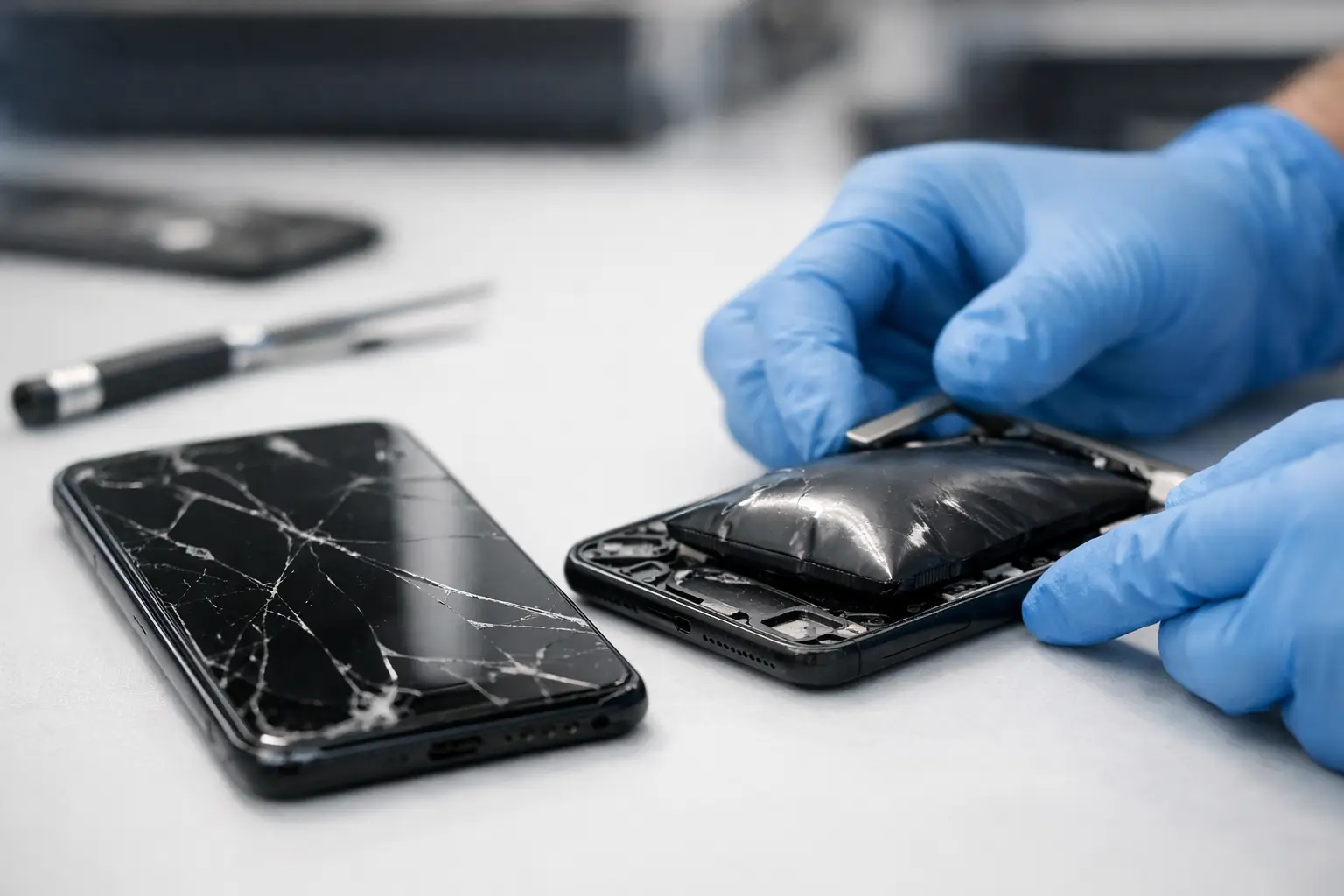
A phone that suddenly rocks on a table, a screen lifting away from the frame, or a back cover that will not sit flat can point to one serious problem: a swollen battery. Can a swollen battery be repaired? No. The battery itself cannot be safely repaired, flattened, or reused. It needs to be replaced and handled properly before it causes more damage to your device or becomes a safety risk.
A swollen battery is not a cosmetic issue to ignore until your next upgrade. It can push against the screen, damage internal parts, affect charging, and in rare cases create a fire hazard. The right move is simple: stop using the device, do not charge it, and get a professional assessment.
Why Batteries Swell
Most phones, tablets, smartwatches, laptops, and wireless accessories use lithium-ion or lithium-polymer batteries. These batteries store a lot of energy in a small space. Over time, heat, age, physical damage, charging problems, or a manufacturing defect can cause chemical reactions inside the battery. Gas builds up in the sealed battery pouch, and the battery expands.
That expansion has nowhere to go. In a tightly built phone, it often pushes the display up from the frame or forces the rear glass outward. In a laptop, the trackpad or keyboard may start lifting. A battery can swell slowly over months, or it can become noticeable very quickly after overheating or damage.
Normal battery aging does not always cause swelling. Plenty of old batteries simply lose capacity. But once a battery has expanded, it has failed. Even if the device still turns on and holds a charge, the battery is no longer safe to trust.
Can a Swollen Battery Be Repaired or Flattened?
The direct answer is no. A swollen battery cannot be repaired safely.
You may see videos or advice suggesting that a battery can be pressed flat, punctured to release pressure, chilled, or reused after being removed. Do not try any of those methods. Puncturing or crushing a lithium battery can cause it to overheat, smoke, leak, or ignite. Freezing does not repair the internal chemical damage, either.
A proper repair means replacing the failed battery with a compatible new one, then checking the device for damage caused by the expansion. The old battery should be recycled through an appropriate battery disposal process, not placed in household trash.
There is a difference between repairing the device and repairing the battery. The battery is replaced. The phone, tablet, laptop, or other device may still be very repairable if the swelling has not damaged the display, housing, charging port, flex cables, or internal board.
Signs You May Have a Swollen Battery
A lifted screen is one of the most common signs, especially on phones with adhesive-sealed displays. The gap may start near one edge or corner and get wider over time. Rear glass that separates from the frame can indicate the same issue.
Other warning signs include a device that no longer lies flat, a raised trackpad on a laptop, an unusually tight or distorted case, unexpected overheating, or a battery that drains far faster than before. You may also notice the power button, volume buttons, or screen responding differently because internal pressure is pushing components out of position.
Do not assume a loose screen is only an adhesive problem. If a display is lifting, the battery should be checked before anyone simply glues the screen back down. Closing up a device with a swollen battery leaves the pressure and risk inside.
What to Do Right Away
If you suspect a battery is swollen, turn the device off if you can do so without forcing any damaged buttons or opening the device. Do not keep using it to finish the day, back up files, play games, or take calls. Avoid charging it, including wireless charging.
Remove any tight case carefully only if it comes off easily. Do not press on the screen or back cover to make the device fit back into place. Keep the device away from direct sunlight, heaters, cars on hot days, paper, fabric, and other flammable materials.
If the device is hot, smoking, hissing, leaking, or giving off a strong chemical smell, move away from it and contact emergency services if there is an immediate fire risk. Do not handle a smoking or burning battery. Your safety comes before the device.
For a battery that is swollen but stable, arrange a repair visit as soon as possible. If you need data from the device, tell the technician. In many cases, data can remain intact during a battery replacement, but every situation depends on the device condition and whether other parts have been affected.
What a Professional Battery Replacement Includes
A qualified repair technician does more than swap a battery. First, the device is inspected to confirm the source of the lifting or distortion. Not every screen issue is caused by battery swelling, but it must be ruled out before other repairs begin.
The damaged battery is removed using the right tools and safe handling procedures. The technician then checks the screen, frame, rear housing, connectors, charging system, and nearby components. A swollen battery can strain an OLED display, crack rear glass, bend a frame, or tear internal cables when the device is opened.
After installing a compatible replacement battery, the device should be tested for charging, power behavior, temperature, and overall function. If the old battery has already damaged the display or housing, you may need an additional repair. That is the trade-off: acting early can often limit the repair to the battery, while waiting can turn one problem into several.
Is It Safe to Keep Using a Swollen Battery?
No. A device may appear to work normally, but that does not mean the battery is safe. The swelling shows that the battery’s internal condition has changed. Continued charging, heat exposure, drops, or pressure can make the situation worse.
It is especially risky to keep a swollen phone in a pocket, purse, bed, car, or backpack. Those places add heat, pressure, and flammable materials around a damaged battery. Do not mail a device with a known swollen battery unless a qualified shipping provider specifically instructs you on approved handling. Damaged lithium batteries have strict transport rules for good reason.
Can You Replace the Battery Yourself?
Some devices have removable batteries, but most modern phones and tablets are tightly sealed with strong adhesive and delicate internal parts. A swollen battery raises the difficulty because opening the device or pulling the battery free can create additional pressure or damage.
DIY replacement may look cheaper at first, but the cost can climb quickly if the display cracks, a cable tears, the battery is punctured, or the replacement part is poor quality. It also matters which device you have. A battery replacement in an older phone with a removable back is very different from opening a modern phone with a fragile screen and adhesive-sealed battery.
For a device showing active swelling, professional service is the safer choice. An independent repair shop can inspect the device, explain whether the battery is the only issue, and provide a quote before work begins.
Preventing Battery Swelling in the Future
You cannot prevent every battery failure, but you can reduce stress on your battery. Avoid prolonged heat, especially leaving electronics in a hot vehicle. Use quality charging cables and adapters that are made for your device’s power needs. Replace batteries that are no longer holding a useful charge instead of constantly pushing them through deep discharge and repeated overheating.
Take a device in after a hard drop, water exposure, or sudden charging problem. These issues can damage the battery or charging system even when the phone looks fine on the outside. Also pay attention to a screen or back panel that starts separating. Early inspection can prevent a damaged battery from ruining an otherwise repairable device.
If your phone, tablet, laptop, or other personal device is starting to bulge, do not wait for it to get worse. Bring it to Excell Wireless VA for an assessment and a clear repair quote. A fast battery replacement now may be what saves the rest of your device.